How to Set Up Budget Categories That Actually Work
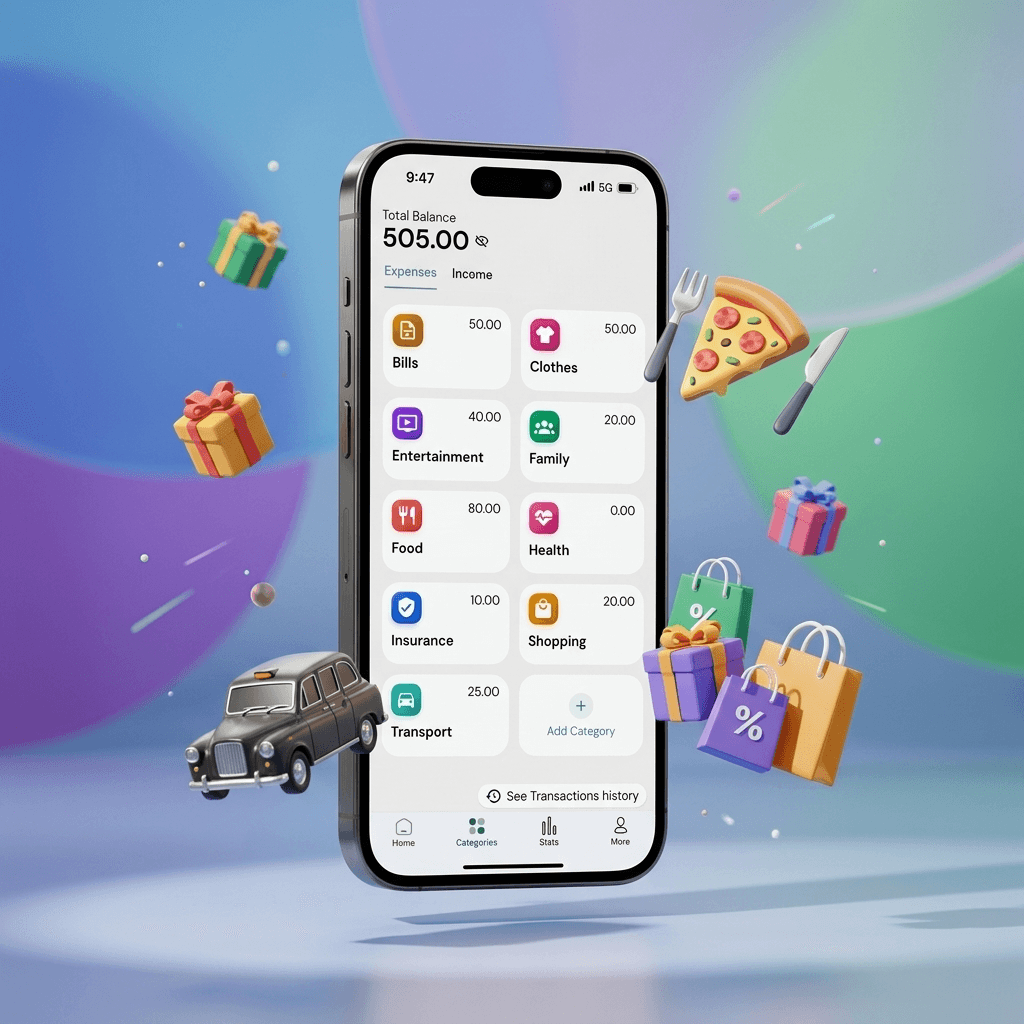
Most budgeting apps give you preset categories: Housing, Food, Transport, Entertainment. They feel sensible but often fail because they do not match how you spend. When groceries, restaurant meals, coffee runs, and vending-machine snacks all land in the same Food bucket, you lose the detail you need to make decisions. $600 on Food this month tells you almost nothing about where to cut back.
In Easymony, every category is custom
You name them, color them, and structure them however you want. Setting them up takes about fifteen minutes. After that, every transaction entry is faster and more useful.
Start by listing every expense you have
Rent, electricity, Netflix, gym, groceries, eating out, petrol, insurance, phone bill, streaming, hobbies, clothing, medical, pet supplies. Include irregular items too: annual subscriptions, holiday gifts, car maintenance. Do not organize yet. Just write everything down.
Group them in a way that makes sense to you
One person might lump all transport into a single category. Another might split Commute from Travel from Car Maintenance. Neither is wrong. The right categories match how you think about your money.
Eight to twelve categories is the sweet spot for most people
Fewer and transactions disappear into broad buckets. More and logging expenses becomes tedious. If you hesitate between two categories when entering a transaction, they overlap too much.
Subcategories let you add detail without cluttering the main list
Your Insurance category can contain Health, Car, Home, Life, Travel, Device, Business, Pet, Premiums, Claims, Renters, and Disability subcategories. The two-level structure keeps the top level simple and the detail accessible when you need it.
A starting framework that works for most people: Housing (rent, utilities, maintenance), Food (groceries, dining out, snacks), Transport (commute, fuel, insurance), Personal (healthcare, clothing, grooming), Entertainment (streaming, hobbies, events), Savings (emergency fund, investments, goals), Debt (credit cards, loans), Miscellaneous (gifts, donations, unexpected)
Adjust based on what you actually spend.
Freelancers and small business owners should separate personal and business expenses from the start
Create parallel category sets. Use Easymony's multiple-accounts feature to keep a Personal account and a Business account with their own categories. This saves headaches at tax time.
Color-coding matters more than it sounds like it should
Assign each category a color. Green for savings, red for debt, blue for housing, orange for food. When you look at a pie chart, you want to identify each slice without reading the labels. Over time, the colors become automatic.
Revisit your categories after thirty days
Drop the ones you never use. Rename, merge, or split as needed. Your categories should change when your life changes — new baby, new city, new job.
One common mistake: setting up categories based on how you want to spend rather than how you actually spend
A Savings category with an ambitious target sounds good but feels bad when you miss it every month. Track your actual spending first, then set targets based on real numbers.
The best categories are the ones you use consistently
Keep them simple, make them personal, and change them when your life changes.
Related Articles
Why Offline-First Apps Are the Future of Personal Finance
We walk through why Easymony uses an offline-first database. No cloud sync means the app is fast and your financial data stays on your device.
Mastering PDF Reports for Better Budgeting
A transaction history PDF is useful. But you can also use it to spot spending patterns you would miss scrolling through individual entries.